bestmonitorfor.com

Best Portable Monitor

The ASUS ZenScreen MB27ACF ($350) is the best portable monitor overall. It delivers a full 27-inch screen in a 9mm thin, 4-pound package with a built-in kickstand and carrying case. USB-C single cable powers the display and carries the video signal, so you can set up a dual-screen workstation at any coffee shop, hotel, or co-working space in seconds.

Not sure which monitor? Find your match in 60 seconds.

Take our quiz

Top 3 Picks

1

ASUS ZenScreen MB27ACF

7.7/10
ASUS ZenScreen MB27ACF
$350ASUS

Full 27-inch portable screen at just 9mm thin and 4 lbs. Kickstand and carrying case included. The most screen real estate you can carry without a suitcase.

The biggest portable monitor you can get. Full 27-inch screen that is still thin and light enough to move between locations.

Size: 27"
Resolution: 1920x1080
Panel: IPS
Refresh: 100Hz
Key Feature: Full-size 27" portable, 9mm thin, 4 lbs
Pros
  • +Full 27-inch screen in a portable form
  • +9mm thin
  • +Kickstand and carrying case included
Cons
  • -Only 1080p at 27"
  • -100Hz
  • -Heavier than 15" portables
Check Price on Amazon
2

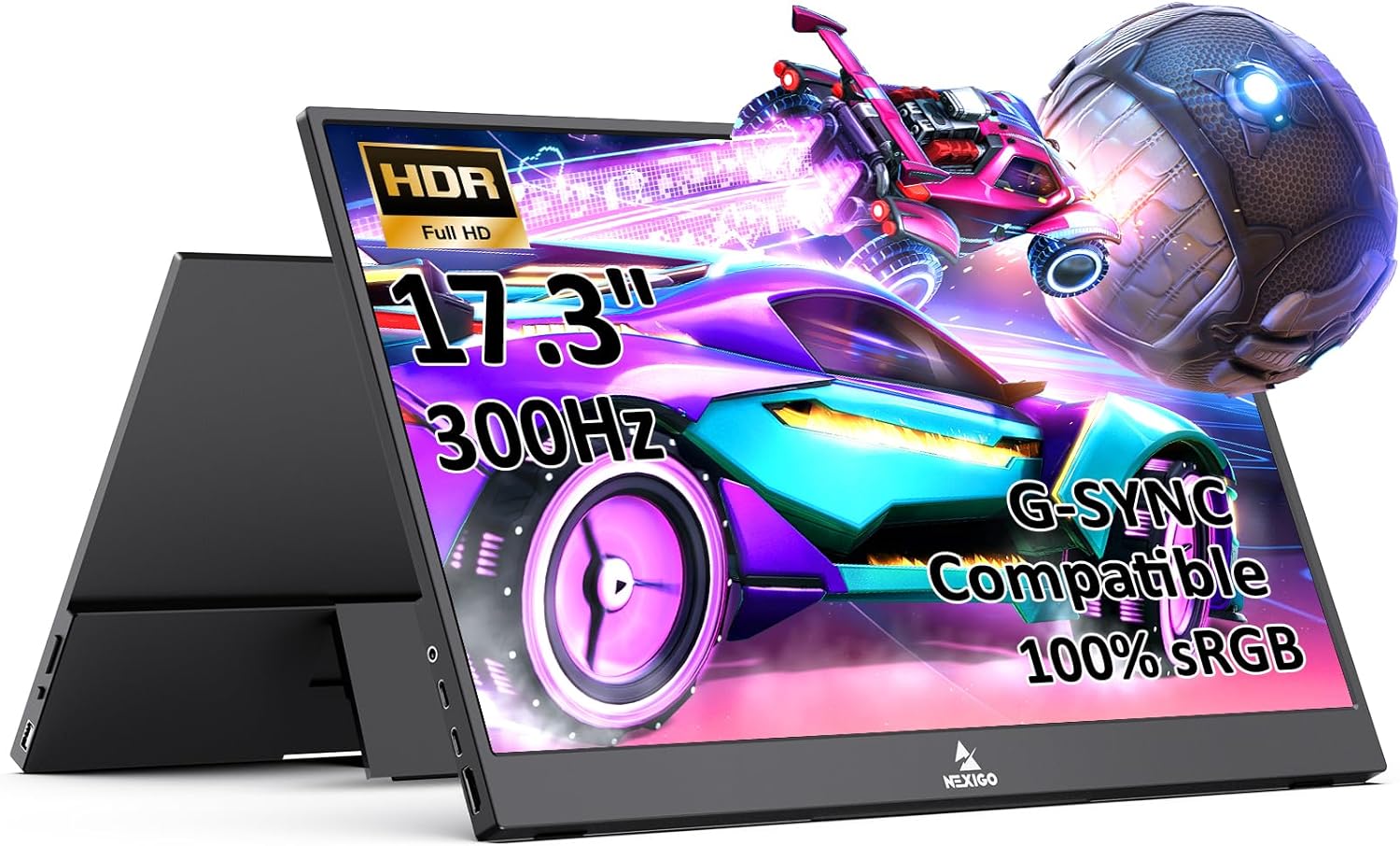
Nexigo NG17FGQ

7.6/10
Nexigo NG17FGQ
$250Nexigo

300Hz refresh rate in a 17.3-inch portable is wild. Built-in speakers and remote control make it great for travel gaming. 3ms response time rivals desktop monitors.

The performance portable for gamers who travel. 300Hz refresh rate rivals desktop monitors in a 17.3-inch package.

Size: 17.3"
Resolution: 1920x1080
Panel: IPS
Refresh: 300Hz
Key Feature: 300Hz portable with 3ms response time
Pros
  • +300Hz over USB-C
  • +3ms response time
  • +Built-in speakers and remote control
Cons
  • -Only 1080p
  • -Heavier than ultra-portable options
  • -No 4K
Check Price on Amazon
3

Lenovo ThinkVision M15

7.8/10
Lenovo ThinkVision M15
$220Lenovo

Ultra-light at 1.8 lbs and 6.5mm thin. Disappears into your laptop bag until you need it. The best option when every ounce in your bag matters.

The ultra-light business portable that disappears into your laptop bag until you need dual screens at a coffee shop.

Size: 15.6"
Resolution: 1920x1080
Panel: IPS
Refresh: 60Hz
Key Feature: 1.8 lbs, 6.5mm thin, USB-C single cable
Pros
  • +Ultra-light at 1.8 lbs
  • +6.5mm thin
  • +USB-C single cable
  • +Fold-out stand
Cons
  • -Only 1080p at 15.6"
  • -60Hz refresh
  • -No built-in speakers
Check Price on Amazon

What We Look For

Weight and thickness for portability, USB-C single-cable operation, resolution at the given screen size, and quality of built-in stand mechanism.

Buying Guide

Portable monitors come in three tiers: ultralight travel (15-16 inches, under 2 lbs), mid-size versatile (17 inches, 2-3 lbs), and full-size portable (27 inches, 4 lbs). Your choice depends on how you travel and where you use it. The Lenovo ThinkVision M15 at 1.8 lbs disappears into any bag. The Nexigo NG17FGQ at 17.3 inches balances screen size with mobility. The ASUS ZenScreen MB27ACF at 27 inches is a full desktop monitor that happens to be thin and light enough to carry between rooms or pack for a trip.

USB-C: The Portable Monitor Lifeline

Every modern portable monitor connects via a single USB-C cable that carries both video and power. This means no power bricks, no DisplayPort adapters, no HDMI dongles. Plug one cable into your laptop and you have a second screen in seconds. The quality of USB-C implementation varies: the Lenovo M15 is the simplest and most reliable single-cable setup, while the ASUS MB27ACF and Nexigo NG17FGQ also support HDMI as a backup for laptops without USB-C video output. If your laptop only has USB-A ports, you will need a USB-C to USB-A adapter with DisplayLink, which adds complexity.

Resolution at Smaller Sizes

All three of our picks are 1080p (1920x1080), which is appropriate for their sizes. At 15.6 inches, 1080p delivers 141 PPI, which is sharp and comfortable. At 17.3 inches, it is 127 PPI, still good. At 27 inches, 1080p drops to 82 PPI, which is noticeably less sharp than a 4K desktop monitor. The ASUS MB27ACF makes the tradeoff of lower pixel density for maximum portable screen size. If text sharpness is critical, the Lenovo M15's 15.6-inch 1080p panel is actually sharper than the larger ASUS despite having the same resolution.

Stand Mechanisms Matter

A portable monitor's stand is critically important because you are setting it up in uncontrolled environments: uneven tables, soft surfaces, cramped airline tray tables. The ASUS MB27ACF includes a folding kickstand and a carrying case that doubles as a stand. The Lenovo M15 uses a fold-out stand integrated into the back panel. The Nexigo NG17FGQ comes with a built-in stand and a remote control for adjusting settings from a distance, which is useful when the monitor is across a room for travel gaming. Test your stand on different surfaces before relying on it at a coffee shop.

For most remote workers, the ASUS ZenScreen MB27ACF at $350 gives you the most usable portable screen real estate available. Frequent flyers and daily commuters should grab the Lenovo ThinkVision M15 at $220 for its featherweight 1.8 lb design. Gamers who travel should look at the Nexigo NG17FGQ at $250 for its 300Hz refresh rate. If you end up wanting a permanent second monitor instead, check our dual setup page for desk-based options.

Frequently Asked Questions

What is the best portable monitor for a laptop?

The ASUS ZenScreen MB27ACF is the best portable monitor for most laptop users. It gives you a full 27-inch second screen that connects with a single USB-C cable. At 4 lbs and 9mm thin, it fits in a laptop bag alongside your notebook. If you prioritize minimum weight above all else, the Lenovo ThinkVision M15 at 1.8 lbs and 6.5mm is the lightest option that does not compromise on build quality. For gaming on the go, the Nexigo NG17FGQ adds 300Hz refresh rate in a 17.3-inch form factor.

Can a portable monitor run on USB-C power alone?

Yes. All three of our picks run on USB-C power from your laptop, with no separate power adapter needed. Your laptop's USB-C port provides both the video signal and the 5-10 watts of power the portable monitor needs. The one caveat: very old or budget laptops with low-power USB-C ports may not supply enough power, in which case you will need a USB-C power adapter connected to the monitor's second USB-C port. Any modern laptop from 2020 onward should work fine with single-cable operation.

What size portable monitor should I get?

It depends on how you travel. For daily commuters carrying a backpack, the Lenovo ThinkVision M15 at 15.6 inches (1.8 lbs) adds minimal weight and bulk. For travelers who check luggage and set up at hotels or remote offices, the ASUS ZenScreen MB27ACF at 27 inches gives you a proper desktop-class second screen. For gamers who bring their setup to friends' houses or LAN events, the Nexigo NG17FGQ at 17.3 inches balances screen size with portability. Most portable monitors are 15-17 inches; the ASUS at 27 inches is unusually large for the category.

Are portable monitors worth it?

If you work remotely and move between locations regularly, a portable monitor is one of the highest-value productivity purchases you can make. Dual screens let you keep reference material, chat, or email visible while you work on your primary screen. Studies consistently show 20-30% productivity gains from adding a second monitor. At $220-350, a portable monitor pays for itself quickly if your time has value. The key is whether you actually move enough to justify portable over buying a cheap desktop monitor for each location you frequent.

Related Guides

As an Amazon Associate, bestmonitorfor.com earns from qualifying purchases. Prices are approximate and may change. Product information is provided without warranty.